




What Is the Best 3D Printer for Schools

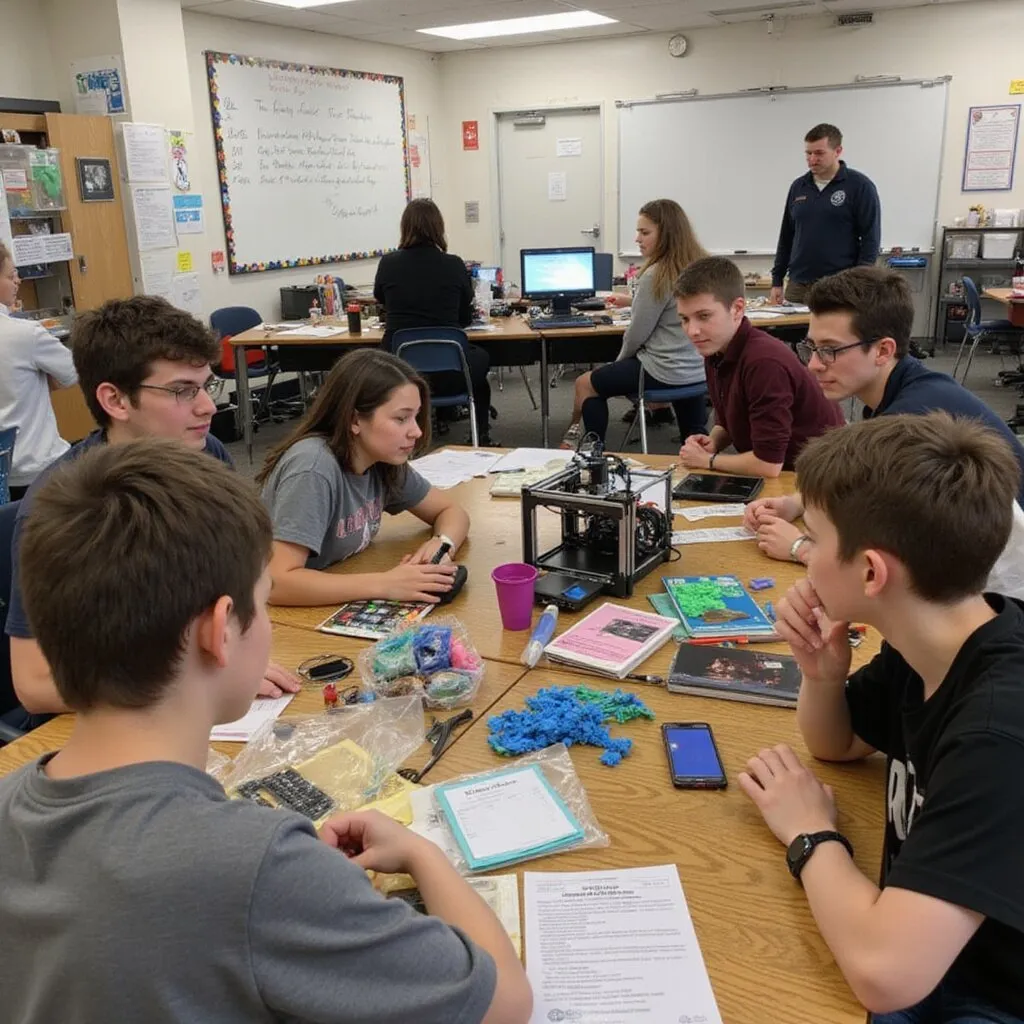
If you are asking what is the best 3D printer for schools, you are likely balancing safety, reliability, curriculum alignment, and budget. The right solution is not just about print quality. It is about classroom integration, ease of use for teachers, and long term support.
At AGC Education, we work directly with K to 12 leaders, STEM coordinators, and procurement teams to implement turnkey 3D printing programs that reduce barriers and maximize student engagement.
What Makes a 3D Printer Right for Schools
The best 3D printer for schools should meet four essential criteria:
Safety and Classroom Readiness
Enclosed designs, filtered airflow, and student safe materials are critical. Equipment must comply with school safety standards and be appropriate for elementary through high school environments.
Ease of Use for Educators
Teachers need intuitive software, reliable hardware, and minimal troubleshooting. A printer that requires constant maintenance or advanced technical skill creates friction and limits adoption.
Durability and Reliability
School equipment must withstand daily classroom use. Consistent print quality and dependable performance reduce downtime and protect instructional time.
Curriculum Integration
The strongest solutions align with STEM, engineering, art, and design standards. Professional development and ready to use lesson resources support faster implementation.
Why Turnkey Solutions Matter
District leaders often discover that the printer itself is only one part of the investment. Filament supply, training, technical support, and classroom integration determine long term success.
A comprehensive program includes:
Hardware and Materials
Reliable printers, student safe filament, and replacement components.
Professional Development
Hands on training for educators and instructional leaders to build confidence.
Ongoing Support
Technical assistance and implementation guidance that prevent stalled initiatives.
AGC Education partners with schools to streamline procurement, deployment, and staff training. This reduces the burden on IT departments and instructional leaders.
Matching 3D Printing to Educational Goals
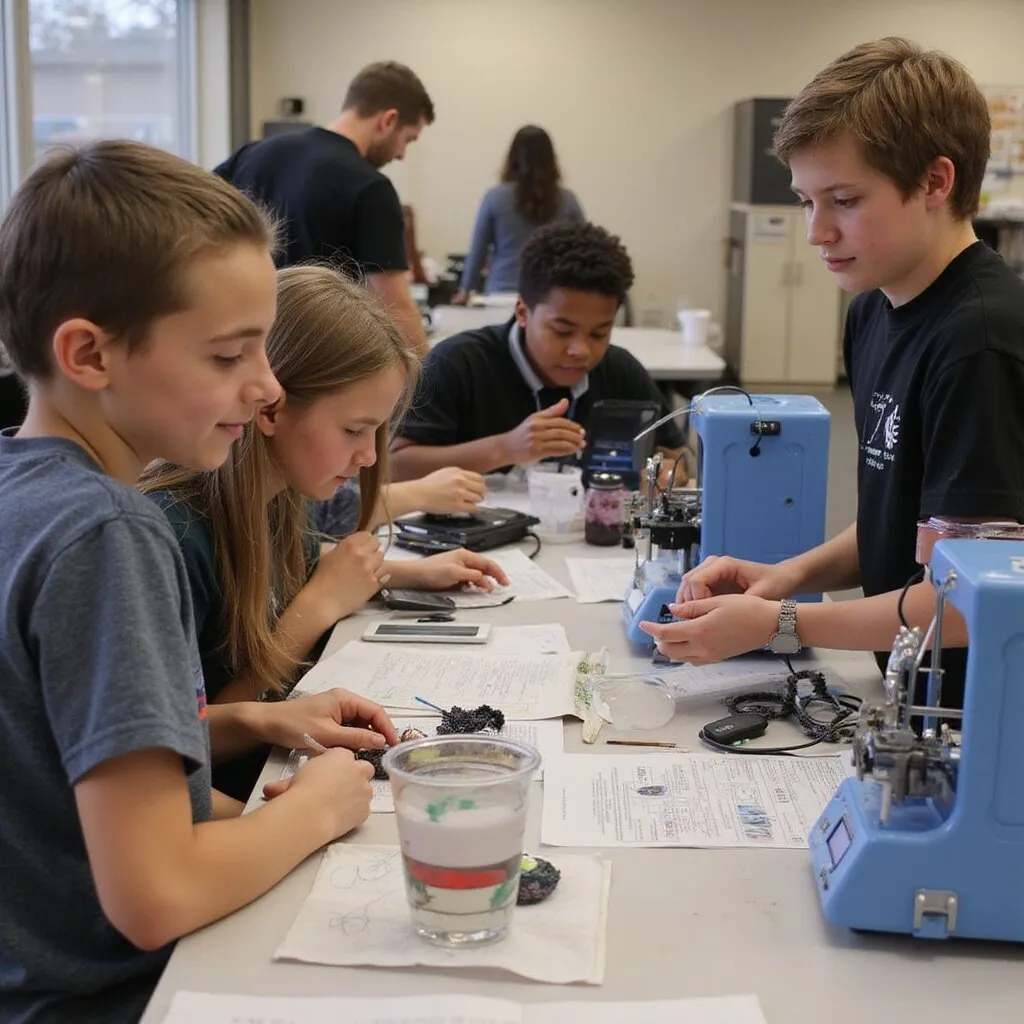
The best 3D printer for schools supports real learning outcomes. Students use 3D printing to design prototypes, visualize scientific concepts, and develop problem solving skills.
In STEM classrooms, students build engineering models and test design iterations. In art and design programs, learners explore creative expression and digital fabrication. In makerspaces, collaboration and innovation become part of the school culture.
When aligned with curriculum standards, 3D printing increases engagement and deepens understanding.
.
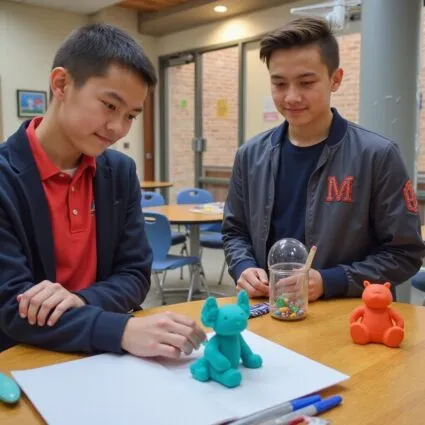
Making the Right Choice for Your District
Choosing the best 3D printer for schools requires evaluating safety features, classroom usability, support structure, and long term scalability. A reliable education focused partner ensures the technology enhances instruction rather than complicates it.
AGC Education helps districts implement solutions that are practical, sustainable, and aligned with academic goals. The result is improved classroom communication, stronger student engagement, and reduced implementation barriers for staff.
Frequently Asked Questions
Elementary programs benefit from enclosed, easy to operate printers with simple interfaces and strong safety features.
Yes, when schools select enclosed systems with proper filtration and follow manufacturer guidelines.
Most educators benefit from structured professional development and ongoing support to integrate 3D printing effectively.
Common materials include PLA filament, which is widely used in education due to its reliability and ease of printing.
Many schools use technology grants, STEM funding initiatives, and phased implementation strategies to support adoption.
What Is the Best 3D Printer for Schools? Complete K 12 Buyers Guide
If you are asking what is the best 3D printer for schools, you need a safe, quiet, reliable system that busy teachers can operate easily. For most K 12 schools, the best overall choice is an enclosed FDM 3D printer with a heated build plate, filtration, and user friendly software that works on Chromebooks. Top reviews consistently highlight Flashforge, Bambu Lab, Prusa, Makerbot, and Ultimaker for quality prints, easy leveling, and low maintenance. Start with affordable PLA, then expand into stronger materials as students and teachers take on more advanced STEM concepts and prototypes.
How to Define the Best 3D Printer for Schools for Your K 12 Program
What Does Best 3D Printer for Schools Really Mean for Educators and Students?
Balancing Safety, Reliability, and Learning Impact in School 3D Printing
When you ask what is the best 3D printer for schools, you are really asking what will work every day in your classroom without creating safety concerns or constant frustration. For K 12 environments, the best 3D printer is not the flashiest or fastest option. It delivers consistent quality prints, keeps students safe, and fits your budget and staff capacity.
Safety must come first. A fully enclosed chamber, filtered airflow, protected hotend, and stable build plate protect younger students who work near the printer. Reliability comes next. Automatic bed leveling, filament sensors, and proven software reduce failed prints and eliminate unnecessary troubleshooting. These features give teachers more time to teach STEM concepts, problem solving skills, and design thinking.
Learning impact is where everything connects. A strong classroom 3D printer turns abstract ideas into tangible prototypes, art projects, and engineering concepts students can physically examine. It should integrate smoothly with Chromebooks, intuitive slicer software, and platforms such as Tinkercad or Thingiverse so students can move from idea to finished print without confusion.
If you want help aligning safety, reliability, and instructional impact with your school environment, contact AGC Education for a quick consult and tailored printer recommendations.
Why the Right 3D Printer Matters for STEM, CTE, and Cross Curricular Projects
The right 3D printer becomes a shared resource across STEM, CTE, art, and core academic subjects. In STEM and makerspaces, students can prototype robots, bridges, and product designs using PLA or stronger materials such as ABS filament or carbon filled filaments. In CTE labs, dependable 3D printers support engineering, architecture, and manufacturing pathways by producing accurate parts with repeatable quality.
Cross curricular projects benefit as well. History students can recreate artifacts, art students can design miniatures or creative props, and math classes can print geometric models that make abstract concepts easier to understand. A quiet, enclosed FDM 3D printer with strong dimensional accuracy and a user friendly interface encourages more teachers to integrate 3D printing into lessons confidently.
When the system remains easy to use, with dependable software tools and wireless connectivity, it becomes an instructional tool for the entire building rather than a specialized device used by only one department. That is what the best 3D printer for schools truly provides. It increases teacher participation, improves student engagement, and strengthens overall STEM outcomes.
If you would like examples of how schools integrate 3D printers across multiple subjects, reach out to AGC Education for classroom use cases and buying guidance.
Key Questions to Ask Before Choosing a Classroom 3D Printer
Clarifying Grade Levels, Class Sizes, and Project Types for 3D Printing
Before comparing brands such as Flashforge, Prusa, Bambu Lab, or Makerbot, clearly define how you plan to use 3D printing. An elementary classroom producing small art projects has different needs than a high school engineering lab running multiple printers daily. Grade level influences safety requirements, acceptable noise levels, and the simplicity of the touchscreen interface and software.
Class size and project scope determine build volume, print speed, and the number of printers required. If thirty students design individual prototypes, you need a system capable of printing multiple small parts simultaneously or operating reliably overnight. Younger students may require one or two quiet, fully enclosed printers. Secondary STEM labs may benefit from a small fleet of dependable desktop FDM printers.
Material selection also matters. Will you use only PLA for low odor, easy printing, or do you require stronger plastics or resin for advanced coursework. Answering these questions early prevents purchasing a printer that does not align with classroom reality.
If you would like a structured planning worksheet to clarify grade levels, class sizes, and project types, contact AGC Education and request the classroom 3D printing planning guide.
Identifying Who Will Own Setup, Maintenance, and Student Training
The best 3D printer for schools succeeds only when someone takes ownership of setup and maintenance. Determine whether a STEM coordinator, IT lead, classroom teacher, or makerspace manager will manage calibration and ongoing upkeep. A printer that includes automatic bed leveling, clear LCD prompts, and reliable customer support reduces the burden on that individual.
Maintenance requires realistic planning. Ask how frequently nozzles, build plates, or filters require replacement and whether staff feel comfortable performing those tasks. Quiet operation and stable networking remain essential if the printer runs daily in a classroom environment.
Student training also plays a critical role. Does the system include accessible software, tutorials, and classroom ready projects that teach slicing basics, file formats such as STL, and safe operating procedures. Schools that define these responsibilities early experience higher usage rates and fewer interruptions.
You do not need to become a 3D printing specialist. You need a system that fits your team capacity and instructional goals. If you would like help defining roles and responsibilities for your 3D printing program, schedule a consult with AGC Education to walk through a proven implementation framework.
Core Features That Make a 3D Printer Truly School Friendly
When you ask what is the best 3D printer for schools, the answer always comes back to three core requirements: safety, ease of use, and reliability. A printer can offer impressive specifications, but if it is noisy, confusing, or frequently offline, it will sit unused instead of supporting STEM learning.
School friendly 3D printers are built for classrooms rather than hobby environments. They include enclosed chambers, quiet operation, safe materials such as PLA, and software that runs smoothly on Chromebooks and school networks. Teachers must be able to operate the system without submitting an IT request every time they print a prototype or art project.
Predictable costs also matter. An affordable price point, low maintenance needs, and dependable parts are more important in education than flashy features. The best 3D printers for schools balance print quality, speed, and safety with a straightforward setup process and strong support.
If you need help matching these core features to your grade level, budget, and lab configuration, request a consult before finalizing your purchase.
Safety Features Every School 3D Printer Should Include
Safety remains the primary concern for educators introducing 3D printing into classrooms. You are responsible for students, not hobbyists, so the printer must align with school safety policies and remain easy to supervise.
A school ready 3D printer minimizes exposure to hot components, fumes, and sharp tools. It also provides clear monitoring controls so you can oversee prints from your desk or another classroom. When safety features are integrated into the design, you can focus on teaching STEM concepts rather than preventing accidents.
If you are comparing models from Prusa, Flashforge, Makerbot, Bambu Lab, or other brands and are unsure which safety features matter most for your student age group, request a safety focused walkthrough before purchasing.
Enclosed Build Chambers, Filtration, and Safe Materials for Classrooms
For K 12 environments, an enclosed chamber is essential. A fully enclosed system protects students from hotends, heated beds, and moving parts. It also reduces noise, allowing the printer to operate during instruction without disrupting the classroom.
Look for printers that include enclosed build chambers, HEPA or carbon filtration, and clear guidance on safe filament choices. PLA and PETG typically work best for schools. ABS filament and some resin materials produce stronger odors and require additional ventilation and supervision. A flexible or magnetic build plate also reduces the need for sharp removal tools.
Many education focused 3D printers such as Makerbot Sketch and Flashforge Adventurer models are designed around these classroom priorities. If you want a shortlist of safe and school ready systems that match your lab space and budget, request a curated comparison.
Compliance, Certifications, and School Safety Policies for 3D Printing
Before a 3D printer enters a classroom, it must pass district purchasing and safety reviews. That requires more than good specifications and positive reviews. It requires documentation, certifications, and alignment with school policies.
Choose 3D printers that provide clear safety certifications, documented filtration performance, and material guidance that administrators can review confidently. Many education focused systems include safety data sheets, classroom setup guides, and sample risk assessments. These resources can accelerate approval and reduce administrative hesitation.
If you need to meet strict policy requirements quickly, request a printer shortlist that already aligns with common school safety standards so you can move forward confidently.
Ease of Use: What Teachers Need From a Classroom 3D Printer
Teachers do not have time to manage complicated machines. A school 3D printer must be intuitive for STEM educators, art instructors, and classroom teachers who may not have technical backgrounds.
A friendly interface, reliable automatic bed leveling, and slicer software compatible with Chromebooks and laptops are essential. Clear workflows allow students to design in Tinkercad or similar programs, export STL files, slice using Cura, PrusaSlicer, or Makerbot CloudPrint, and send prints without technical obstacles.
When evaluating the best 3D printer for schools, prioritize ease of use over advanced or niche features. If you need help matching printer interfaces and software to your staff experience level, request a tailored demonstration.
Intuitive Interfaces, Presets, and Student Friendly Workflows
A clear touchscreen and simple menu system matter more in classrooms than advanced configuration options. Teachers need presets that produce reliable PLA prints on a standard build plate without constant recalibration.
Select printers that include icon based interfaces, guided setup instructions, and built in filament profiles. Many education ready systems ship with classroom tested settings that produce quality prints at common resolutions such as 100 to 200 microns. This balance of speed and simplicity keeps students engaged while reducing failed prints.
If you want to review a complete student workflow from design to final part, request a sample lesson mapped to specific printers and software tools.
Cloud Management, Print Queues, and Multi Classroom Access
As 3D printing expands, multiple teachers and students will need access. Without management tools, classrooms rely on USB drives and manual scheduling, which quickly becomes inefficient.
Cloud platforms such as Makerbot CloudPrint and similar systems allow teachers to manage print queues, monitor jobs, and share access across classrooms. Students can send files wirelessly, teachers can check status remotely, and prints can run overnight. For IT departments, centralized control over users and firmware improves oversight and security.
If you are planning a makerspace or district wide rollout, request guidance on cloud ready 3D printers and network integration to support multiple classes effectively.
Reliability, Uptime, and Maintenance for School 3D Printers
The best 3D printer for schools operates reliably every time students enter the classroom. Reliability matters more than maximum speed or exotic materials. When a printer fails during instruction, you lose valuable teaching time and student trust.
Choose sturdy FDM printers with enclosed designs, filament sensors, and strong education reviews for uptime. Features such as automatic bed leveling, filament detection, and durable components reduce maintenance demands and improve consistency. You need a system that withstands daily student use rather than a fragile kit requiring constant adjustment.
Vendor support also plays a major role. Education focused providers often include training resources, lesson materials, and fast replacement parts, which lowers long term costs and downtime.
If you would like a shortlist of quiet, reliable printers that have proven performance in real classrooms, request a reliability focused recommendation tailored to your grade levels and budget.
How to Compare 3D Printer Types and Technologies for Schools
When you decide what is the best 3D printer for schools, you are choosing how students will experience STEM, creativity, and problem solving for years to come. The right 3D printers turn makerspaces and labs into reliable learning engines. The wrong choice creates noise, maintenance issues, and frustrated teachers.
Start by defining your non negotiables. Prioritize safety features such as a fully enclosed chamber, filtration, and quiet operation. Ensure ease of use with automatic bed leveling, a friendly interface, and dependable slicer software. Confirm vendor support that includes training, warranty coverage, and fast assistance when issues arise. For most K 12 classrooms, FDM 3D printers using PLA filament offer the best combination of safety, cost efficiency, and quality prints.
Next, align printer type with instructional goals. If you teach basic STEM concepts and prototyping, a compact enclosed FDM 3D printer from brands such as Flashforge, Makerbot, Prusa, or Bambu Lab often fits well. If you operate advanced engineering or product design courses in high school, you may require higher precision, larger build volume, or dual extrusion capabilities.
Also evaluate system compatibility. Confirm networking, Chromebook integration, slicer software such as Tinkercad and Ultimaker Cura, and file transfer processes. A printer for education should integrate smoothly with your current infrastructure without creating IT friction.
If you want a short list of printers that match your grade levels, budget, and safety requirements, schedule a planning call before making your final decision.
FDM Versus Resin: Which 3D Printing Technology Is Better for Classrooms?
Most educators asking what is the best 3D printer for schools are deciding between FDM and resin technologies. Both create durable parts, but they function differently in classroom environments.
FDM 3D printers melt plastic filament such as PLA, PETG, or ABS and build parts layer by layer on a heated build plate. Resin printers cure liquid resin using light to form detailed objects. Resin technology can achieve extremely fine resolution and works well for intricate miniatures or small art projects, but it introduces chemical handling requirements and more complex maintenance.
For most schools, FDM 3D printers represent the best overall choice. They are easier to teach, more affordable to operate, and safer for younger students. Resin systems from brands such as Formlabs or Photon models perform best in specialized labs with proper ventilation, personal protective equipment, and trained supervision.
If you are comparing FDM and resin for your classrooms, provide your grade levels, room setup, and budget, and request a tailored recommendation.
Pros and Cons of FDM 3D Printers for School Makerspaces
FDM 3D printers serve as the foundation of most school makerspaces. They use filament spools, often include enclosed designs, and connect easily via USB, SD card, or wireless networks. For STEM instruction, they balance safety, affordability, and reliable quality printing.
On the positive side, FDM printers support a variety of materials, including PLA and stronger plastics such as carbon fiber filled filaments on certain industrial systems. They support prototypes, engineering models, art projects, and classroom demonstrations. Brands such as Flashforge, Makerbot Sketch, Prusa, Bambu Lab, and Lulzbot provide models suitable for beginners with quiet operation, touchscreen displays, and intuitive software.
However, FDM printers require periodic calibration, bed leveling, nozzle cleaning, and adhesion monitoring. Print speed decreases when using finer resolution settings, and open frame designs can produce more noise unless enclosed.
If you need help selecting an FDM 3D printer that balances speed, reliability, and classroom noise levels, request a vetted comparison list.
Why Resin 3D Printers Are Usually Not the Best Fit for K 12
Resin 3D printers produce impressive detail suitable for miniature models and intricate design work, but they introduce challenges in K 12 settings. Liquid resin requires gloves, eye protection, and strict handling protocols, increasing supervision requirements for teachers.
Resin systems also require wash and cure stations, dedicated workspace, and proper ventilation. These demands create complexity in busy middle and high school labs where students rotate frequently. Cleanup procedures and chemical management add ongoing responsibilities that many schools prefer to avoid.
Resin printers from brands such as Formlabs and Anycubic perform well in higher education and specialized environments with trained staff. For most K 12 schools, an enclosed FDM 3D printer with filtration and strong safety features provides sufficient accuracy for STEM concepts and product design without the added chemical handling.
If you are considering resin for a specific course, request a structured risk benefit evaluation before investing.
Single Extruder Versus Dual Extruder 3D Printers in Education
Another key decision involves single extruder versus dual extruder systems. Single extruder FDM printers use one hotend and one filament at a time. Dual extruder systems allow two colors or two materials in a single print job.
Single extruder printers typically cost less, operate more quietly, and simplify classroom learning. They work well for most STEM, art, and prototyping applications using PLA on a single build plate. Dual extruder systems provide additional flexibility, including multi color printing and soluble supports, but they increase calibration complexity and maintenance demands.
Many schools benefit from maintaining a fleet of reliable single extruder printers rather than investing heavily in advanced systems that remain underutilized. Some districts add a single dual extruder unit in a makerspace for advanced learners once foundational workflows are established.
If you need help determining whether dual extrusion aligns with your course offerings, share your curriculum outline and request a recommendation with pricing guidance.
When Dual Material Printing Truly Adds Value in the Classroom
Dual material 3D printing delivers value when it directly supports learning outcomes. Students may need soluble supports for complex geometries or multiple colors to label scientific models clearly.
High school engineering and CTE programs benefit most from these capabilities. Students can combine rigid and flexible plastics or experiment with dissolvable supports to explore advanced shapes. Systems from Bambu Lab and Ultimaker offer dual extrusion features with strong software support and networking capabilities.
However, dual material systems increase cost, mechanical complexity, and required training. If teachers are still mastering slicing basics and bed leveling, advanced features may remain unused.
If you are evaluating dual material systems, request a use case review to ensure your investment aligns with instructional demand.
Managing Complexity and Training With Advanced 3D Printer Features
Advanced 3D printers include features such as automatic bed leveling, filament detection sensors, enclosed chambers, and cloud management platforms like Makerbot CloudPrint. Higher end systems from Bambu Lab, Prusa, and Ultimaker may also provide increased speed and detailed software dashboards.
These capabilities can reduce failed prints, improve adhesion, and streamline monitoring across multiple units. However, they require teacher training in slicer software such as Cura, PrusaSlicer, or Bambu Studio, along with understanding maintenance schedules and troubleshooting basics.
Match system complexity to staff capacity. Many schools designate a 3D printing lead teacher or technology coordinator who manages printers and mentors colleagues. Vendors offering professional development, installation support, and clear documentation reduce long term risk.
If you want a training friendly 3D printing system that teachers can operate confidently, request a bundled recommendation that includes hardware, software, and professional development.
Build Volume, Speed, and Resolution: What Really Matters for Students
Specifications such as build volume, printing speed, and resolution often dominate vendor marketing, but not every number matters equally in classrooms.
For most K 12 programs, a medium build area around 220 by 220 millimeters up to 250 millimeters is sufficient. Larger format systems work well in centralized makerspaces, but oversized printers require longer print times, increased filament use, and more calibration effort.
Resolution measurements such as 400 microns, 100 microns, or 50 microns matter less than consistent output quality. Students benefit more from reliable prints than from chasing the fastest or finest specification. A quiet, enclosed printer that delivers dependable results supports more learning than a high speed machine that frequently fails.
If you want help aligning build volume, speed, and resolution with your curriculum and class sizes, schedule a vendor neutral consultation and walk away with a prioritized specification list tailored to your program.
Curriculum Alignment: Choosing the Best 3D Printer for STEM and CTE Programs
You are not just buying hardware. You are investing in a system that must support STEM, CTE, and makerspace goals for years. When you ask what is the best 3D printer for schools, you are really asking which printer aligns with your curriculum, staff capacity, and student outcomes. A quiet, reliable, enclosed desktop 3D printer with strong software and classroom ready lesson content usually outperforms a faster machine that requires constant maintenance.
Choose printers that support PLA and other classroom safe materials, include an enclosed chamber for safety, and integrate with slicers such as Ultimaker Cura or PrusaSlicer. Education focused platforms from Makerbot, Flashforge, Prusa, and Bambu Lab often include curated projects, NGSS aligned activities, and cloud software tools compatible with Chromebooks and school networks. These resources reduce teacher planning time and troubleshooting.
Districts that standardize on a consistent fleet of printers report lower operating costs, easier training, and more consistent print quality. You want a printer that new teachers can operate confidently after minimal setup, supported by automatic bed leveling, intuitive displays, and dependable software.
If you want help matching specific printers to your STEM and CTE curricula, schedule a planning call and receive a customized shortlist for your school or district.
How 3D Printers Support STEM, Engineering, and Design Thinking
3D printing transforms abstract STEM concepts into tangible learning. Students design, prototype, test, and refine ideas, building real problem solving and design thinking skills from elementary through high school.
In math and science, students print models of molecules, terrain, or data sets to visualize patterns and relationships. In engineering and CTE programs, students create functional components and product prototypes using PLA or stronger filaments. A quiet FDM printer operating in the classroom allows students to observe the entire workflow, from modeling and slicing to print completion and quality control.
Students who struggle with traditional instruction often thrive when they design and fabricate physical objects. Engagement increases, and measurable learning outcomes follow.
If you want classroom ready project outlines tailored to your grade levels, request a curated set aligned to your curriculum.
Project Based Learning Examples Using School 3D Printers
A middle school STEM class might design assistive devices for real world challenges. Students interview users, sketch solutions, model in Tinkercad, slice in Cura, and print on an enclosed classroom printer. They test, refine, and present final designs while learning engineering principles and communication skills.
In CTE programs, students create jigs, fixtures, and robotics components. High school physics classes design gliders or car bodies, then collect performance data. Art students collaborate on design projects using PLA and other materials.
These projects succeed when the printer operates reliably with automatic bed leveling, strong adhesion, and quiet performance. Teachers focus on instruction instead of troubleshooting.
If you want grade specific project lists, request ready to implement examples tailored to your subjects.
Connecting 3D Printing to NGSS, CTE, and Digital Fabrication Standards
3D printing aligns directly with NGSS engineering practices and CTE pathways. Students define problems, develop models, test solutions, analyze results, and communicate findings.
NGSS emphasizes investigation, computational thinking, and solution design. A bridge design project, for example, can incorporate modeling, load testing, iteration, and reflection. CTE standards in manufacturing and engineering frequently reference CAD, prototyping, and additive manufacturing.
Select vendors that provide standards aligned lesson plans, rubrics, and documentation. This support simplifies administrative approval and strengthens funding justification.
If you need help mapping 3D printing to your NGSS or CTE frameworks, schedule a standards alignment planning session.
What Is the Best 3D Printer for Schools Focused on Makerspaces and Innovation Labs
For makerspaces and innovation labs, the best 3D printer for schools emphasizes uptime, speed, and durability. These environments demand consistent performance under heavy daily use. Choose quiet, enclosed systems with sturdy construction and dependable filament detection.
Many labs benefit from maintaining a small fleet of identical FDM printers rather than relying on one large format machine. A fleet reduces bottlenecks, shortens queues, and simplifies maintenance and training.
While budget matters, hidden costs such as failed prints, noise, and constant recalibration consume valuable staff time. Investing in a reliable, education focused system often produces lower total cost of ownership.
If you are upgrading or launching a makerspace, request a tailored equipment plan aligned to your lab size and student volume.
High Usage Makerspace Environments and Fleet Considerations
In high usage labs, one printer quickly becomes a bottleneck. A fleet of three to six identical printers allows multiple classes to print simultaneously. Standardized hardware simplifies training, spare parts management, and filament purchasing.
Choose enclosed FDM systems with automatic bed leveling, magnetic build plates, and quiet operation. Remote monitoring and print queue management enable teachers to oversee jobs efficiently.
Vendor support and rapid parts availability matter more in high usage environments than in occasional classroom setups.
If you need help sizing a printer fleet, request a capacity planning worksheet tailored to your projected demand.
Integrating 3D Printers With Other Fabrication Tools and Software
Many makerspaces include laser cutters, vinyl cutters, or CNC routers. The best printer integrates smoothly with your existing design tools and file formats such as STL and OBJ.
Students often design in Tinkercad or Fusion 360, then export to slicers such as Ultimaker Cura or PrusaSlicer. Seamless workflow between tools encourages cross process innovation.
When printers integrate well with other fabrication systems, students can combine printed components with laser cut enclosures or electronics assemblies. This interdisciplinary workflow drives deeper learning.
If you want recommendations that fit your existing fabrication ecosystem, schedule a compatibility review session.
Supporting Art, Design, and Interdisciplinary 3D Printing Projects
3D printing supports more than engineering. Art and design classes use printers for sculpture, theater props, product design, and creative interdisciplinary projects.
Art programs value print quality, color options, and material flexibility. Enclosed FDM printers support durable pieces, while resin systems can produce detailed miniatures when safety requirements are met.
Interdisciplinary units may combine literature and design or social studies and artifact reconstruction. These projects expand 3D printing beyond STEM and increase district wide adoption.
If you want to extend 3D printing into art and interdisciplinary instruction, request sample projects and printer recommendations tailored to creative departments.
Total Cost of Ownership for School 3D Printers
When you ask what is the best 3D printer for schools, you must evaluate more than purchase price. Total cost of ownership includes hardware, filament, maintenance, training, and staff time. An inexpensive printer that frequently fails may cost more in lost instructional time than a reliable enclosed system with strong support.
Plan within a three to five year window. Calculate hardware cost, projected filament consumption, replacement parts, and potential software subscriptions. Then compare these costs to measurable benefits such as student engagement and instructional impact.
If you want a structured worksheet to compare total cost of ownership across brands such as Prusa, Flashforge, Makerbot, and Bambu Lab, request a planning template tailored for schools.
Upfront Pricing Versus Long Term Costs for 3D Printers in Schools
Low bids often hide higher operational costs. Evaluate reliability, maintenance frequency, and support response times before committing. A slightly higher initial investment in a dependable, enclosed printer with automatic bed leveling and strong software often reduces long term headaches.
Ask vendors for realistic usage estimates, typical failure rates, and expected replacement part frequency. This information provides a clearer financial picture.
If you want assistance comparing long term costs for your district, request a customized breakdown based on your projected usage.
Consumables, Replacement Parts, and Service Over the Printer Lifespan
Every printer requires filament, nozzles, build plates, filters, and periodic service. Over several years, consumables may exceed the original hardware cost.
Choose systems that use widely available filaments and standardized parts. Confirm that replacement components are affordable and accessible. Clear maintenance guides reduce unexpected downtime.
If you want an annual consumables estimate per printer, request a ready to use planning sheet.
Planning for Multiple 3D Printers and Future Expansion
Many schools expand from one printer to multiple units. Standardizing hardware simplifies training, spare parts, and filament management.
Consider network management, wireless printing, user access control, and physical lab layout. Early planning prevents incompatible systems and operational confusion.
If you are preparing to scale, request a future proof roadmap aligned to your growth strategy.
How to Budget for Filament, Materials, and Student Projects
Material costs accumulate quickly across large student populations. Estimate expected project volume and average print size to project annual filament needs.
For most K 12 programs, planning one to two kilograms of PLA per active printer per month during peak units provides a reasonable baseline. Include buffer inventory for failed prints and exploratory projects.
If you want a calculator that converts student project plans into material budgets, request a budgeting tool tailored to your enrollment.
Choosing Classroom Safe 3D Printing Materials at Scale
PLA remains the safest and simplest material for most schools. It produces low fumes, prints reliably, and supports a wide range of projects.
Advanced materials such as ABS or polycarbonate require enclosed chambers and improved ventilation. Resin systems demand stricter handling procedures.
Match materials to grade level, curriculum goals, and facility capabilities. If you need help selecting appropriate materials, schedule a consultation focused on safety and cost efficiency.
Managing Print Access, Quotas, and Responsible Student Use
Establishing print quotas helps control cost and teach responsible resource use. Limit grams or hours per student per term and tie printing to approved projects.
Use slicer software to estimate material and time before approving jobs. Encourage students to optimize models by reducing infill and minimizing excess build volume.
If you want editable print policy templates for your classroom or makerspace, request ready to adapt guidelines.
Evaluating Warranties, Service Plans, and Vendor Support
A school printer experiences heavy use. Strong warranties and responsive support protect your investment. Evaluate warranty terms, response times, and availability of loaner units during repairs.
Education focused vendors often provide extended service options, professional development, and structured implementation support. These services reduce risk and improve long term outcomes.
If you want an unbiased comparison of warranty and service plans from leading education brands, schedule a review session tailored to your purchasing timeline.
Training, Support, and Professional Development for School 3D Printing
Bringing 3D printers into classrooms creates excitement, but the real question is what is the best 3D printer for schools that teachers will actually use. The honest answer is that the best printer for education includes structured training, ongoing support, and a clear professional development plan. Hardware alone does not improve student engagement or strengthen STEM outcomes.
When educators receive practical training, clear lesson ideas, and reliable support, 3D printing becomes a dependable instructional tool instead of a complicated device in the corner. Structured professional development, educator focused software tools, and classroom ready workflows matter more than marginal differences in print speed or build volume.
If you want 3D printers that support STEM learning, art projects, and real world problem solving without adding to teacher burnout, you need a partner that treats training and support as part of the system.
If you are planning 3D printing for your school or district, schedule a consultation to review pricing, hardware options, and professional development plans that align with your staff and budget.
Why the Best 3D Printer for Schools Comes With Educator Focused Training
The best 3D printer for schools does not simply offer quiet operation and safety features. It includes educator focused training that respects real classroom schedules. Teachers do not have time to learn advanced slicing techniques or maintenance procedures through trial and error. They need a structured path from beginner to confident classroom leader.
Effective training connects hardware, software, and curriculum. Teachers learn how to move from student designs in Tinkercad to finished prints with confidence. They understand filament management, build plate preparation, safe operation, and classroom workflows. This support transforms a single desktop printer into a shared instructional resource across grade levels.
If you want your investment to produce measurable student outcomes rather than occasional prototypes, begin by evaluating the training included with every printer option.
Schedule a consultation to review educator centered training plans tailored to your district.
Teacher Onboarding, Lesson Integration, and Classroom Management
When a new printer arrives, teachers ask practical questions about setup, instruction, and classroom management. Strong onboarding programs address each step clearly.
Teachers learn installation procedures, calibration basics, routine maintenance, and slicer software operation without technical overwhelm. Then they transition into lesson integration with standards aligned projects for math, science, art, and CTE courses across grade bands.
Classroom management strategies matter just as much as technical skills. Educators establish print queues, assign student roles, define safety routines, and manage noise expectations. When onboarding covers both technical and instructional components, teachers feel confident experimenting and students spend more time designing and printing.
If you want onboarding that prepares teachers to use 3D printing effectively from week one, request sample agendas and classroom ready lesson paths.
Student Certifications and Career Connected Learning With 3D Printing
3D printing becomes far more powerful when students earn certifications and build career relevant skills. Structured pathways teach students how to design, slice, print, troubleshoot, and refine prototypes while understanding material properties and manufacturing concepts.
Certifications strengthen college applications and career portfolios. Students see clear connections between classroom projects and careers in engineering, product design, architecture, healthcare modeling, and manufacturing.
When students work with the same types of systems used in industry, including FDM and resin technologies, they gain practical knowledge that extends beyond school projects. Parents and administrators notice when students leave with tangible skills and credentials.
If you want to incorporate student certifications and career pathways into your program, schedule a consultation to explore available options and pricing.
How AGC Education EmpowR Academy Supports 3D Printing Success
AGC Education EmpowR Academy operates on one principle. The best 3D printer for schools must include a structured training system that builds teacher confidence. EmpowR Academy delivers educator designed learning paths aligned to varying experience levels and subject areas.
Teachers receive step by step guidance for setup, classroom workflows, and lesson integration. Sessions focus on real classroom scenarios such as managing print queues, working with Chromebooks, handling PLA and other materials, and maintaining quiet operation. Schools experience higher printer usage, better print quality, and fewer support requests.
Administrators gain visibility into teacher progress and readiness for more advanced implementation. This structured support ensures that 3D printing grows intentionally rather than sporadically.
If you want to see how EmpowR Academy integrates with your hardware and curriculum goals, schedule a demonstration and request a tailored quote.
Educator Designed Training Paths for Beginners to Advanced Users
Teachers begin at different comfort levels. EmpowR Academy provides modular training paths developed by educators with classroom experience.
Beginner tracks focus on safety, setup, slicing fundamentals, and running successful first prints. Intermediate tracks explore lesson design, multi classroom management, and cross curricular integration. Advanced tracks cover material selection, higher precision settings, and student led prototyping projects.
Districts can deploy training across multiple schools while accommodating different hardware configurations. This flexibility ensures consistent growth regardless of starting skill levels.
If you would like a customized training roadmap aligned to your district goals, request a sample implementation plan.
Ongoing Support, Refreshers, and New Teacher Onboarding
Staff changes can disrupt even well planned initiatives. EmpowR Academy includes refresher sessions and onboarding paths for new teachers.
Educators access concise refreshers on bed leveling, filament changes, slicer updates, and troubleshooting. New hires follow structured onboarding modules so they inherit working systems with clear instructions rather than uncertainty.
When software or hardware updates occur, updated training materials ensure staff remain confident and current. This ongoing support sustains program momentum year after year.
If you want a program that remains strong despite staffing changes, contact us to incorporate ongoing support into your plan.
On Site Implementation and Success Teams for School 3D Printers
On site implementation accelerates success. A dedicated success team assists with unboxing, installation, network setup, and initial test prints so teachers begin with fully operational systems.
The team supports IT configuration, WiFi setup, and user account integration. Educators receive guidance on classroom placement, noise management, and safe student access. Early clarity reduces frustration and protects equipment.
Schools that invest in structured implementation experience higher usage rates and smoother adoption.
If you are planning a rollout or expansion, schedule on site implementation dates in advance to ensure timely delivery and support.
Best 3D Printer for Schools: Matching Models to Grade Bands and Use Cases
What Is the Best 3D Printer for Elementary Schools Starting With STEM
Prioritizing Simplicity, Safety, and Guided Projects in Elementary Classrooms
Elementary classrooms require simplicity, safety, and quiet operation. The best 3D printer for schools at this level features a fully enclosed chamber, filtration, and a cool touch exterior that fits safely on a classroom desk.
Compact models designed for PLA minimize fumes and reduce calibration requirements. Automatic bed leveling, magnetic build plates, and guided touchscreen prompts simplify setup. Student friendly software such as Tinkercad enables students to move from idea to printed object within a single class period.
At the elementary level, the printer functions as an instructional tool rather than a device for technical experimentation. Pre sliced files, curated projects, and simple connectivity reduce instructional downtime.
If you want help identifying safe, affordable systems designed specifically for younger learners, schedule a consultation to review recommended models.
Starter Bundles, Curriculum Resources, and Teacher Support
Elementary schools benefit from bundled solutions that include hardware, materials, curriculum, and training. A complete package may include printers, PLA filament, spare build plates, and age appropriate lesson plans aligned to math, science, and art standards.
Cloud based slicing platforms compatible with Chromebooks allow flexible classroom use. Teacher confidence matters more than maximum print speed. Structured onboarding and responsive support ensure consistent quality throughout the year.
If you want a starter package that includes hardware, curriculum, and professional development, request a customized quote aligned to your grade levels.
What Is the Best 3D Printer for Middle School Makers and Exploratory Labs
Balancing Capability With Classroom Management in Middle Grades
Middle school programs require expanded capability while maintaining classroom control. The best printers at this level offer larger build volumes, improved accuracy, and enclosed safety features.
Reliable automatic bed leveling, filament detection sensors, and intuitive interfaces reduce failed prints and teacher intervention. Students move from simple objects to functional components and engineering prototypes.
Compatibility with slicers such as Ultimaker Cura or PrusaSlicer enables exploration of supports, infill density, and layer heights while maintaining consistent output.
If you want to match hardware to your lab layout and supervision capacity, schedule a planning session for tailored recommendations.
Supporting Clubs, Competitions, and Cross Curricular Projects
Middle school printers often serve robotics clubs, art programs, and exploratory labs. Network printing, cloud queues, and user management simplify access across multiple classes.
Reliable enclosed FDM printers support robotics brackets, art props, science models, and interdisciplinary projects. Consistent hardware performance encourages ambitious lesson planning.
If you plan to support clubs and competitions next semester, begin hardware selection and installation planning early to ensure readiness.
What Is the Best 3D Printer for High School STEM, CTE, and Advanced Design
High school programs demand higher precision, larger build areas, and compatibility with advanced materials. The best 3D printer for schools at this level balances industrial capability with classroom safety and manageable maintenance.
Advanced FDM printers support PETG, ASA, and carbon filled filaments when ventilation requirements are met. Resin systems may serve specialized labs where safety procedures allow.
Networked printers with wireless control and centralized management support multiple classes and complex projects. Students prototype functional assemblies that connect directly to CAD and engineering coursework.
If you are upgrading or building a high school lab, request a customized equipment plan that includes hardware, software, accessories, and professional development aligned to advanced STEM pathways.
How Physical Therapy Massage Fits into Your Full Treatment Plan
Physical therapy massage is one part of a complete plan, not a stand alone spa service. Your physical therapist uses manual therapy to calm pain, reduce muscle guarding, and improve circulation so you can move better during each physical therapy session. You get more value from every visit and often need fewer sessions overall, which can lower your total physical therapy costs.
When you are paying out of pocket or watching your deductible, the Physical Therapy Cost Per Hour matters. Massage inside a physical therapy session is already built into the fee, so you are not paying a separate price tag for a second appointment. Instead of booking massage and physical therapy at two different clinics, you get integrated care in one place, with one bill and transparent pricing.
Your therapist explains why they are using manual therapy, how it fits your diagnosis, and what results to expect over the next several visits. That clarity reduces anxiety about therapy expenses and makes it easier to commit to your plan.
If you are wondering how much value you will get for what you pay, schedule an initial evaluation so we can outline your full treatment plan, expected sessions per week, and how massage will be used to speed your progress.
Combining Manual Therapy with Therapeutic Exercise and Education
Manual therapy sets the stage, and exercise and education keep the gains. Your therapist may start a session with hands on work to reduce pain and stiffness, then move into targeted strengthening and mobility drills while your body is more relaxed. This pairing often means faster progress per session, so the Physical Therapy Cost Per Hour goes further.
You will also learn simple exercises at home that support what happens on the table, so you are not paying for the same thing every visit. Many clients find that when they follow their home program, they need fewer physical therapy sessions, which can reduce out of pocket expenses, especially without insurance or with a high deductible.
Education is part of the value. Your therapist will coach you on posture, movement habits, and pain triggers so you understand what helps and what slows healing. That knowledge stays with you long after the bills are paid.
Why Choose CynergyPT for Physical Therapy Massage Care
You are not just looking for a massage. You want relief that actually lasts from a clinic that treats you like a person, not a number on a schedule or a bill. That is where CynergyPT stands out.
Here, your physical therapy massage care is delivered one on one by a licensed physical therapist and never passed to an aide. Every physical therapy session blends advanced manual therapy, targeted exercises, and clear education so you understand what is causing your pain and how to fix it. You will know what each visit costs, how your insurance coverage works, and what your Physical Therapy Cost Per Hour will be before you commit, so there are no surprise fees or confusing bills.
Many patients come in after quick fix massages that helped for a day or two. At CynergyPT, the goal is fewer sessions over time, better function, and lower long term therapy costs because we address the root of the problem. Transparent pricing, flexible payment options, and honest conversations about physical therapy costs make it easier to say yes to the care you need now.
If you are ready for hands on care that respects your time, budget, and goals, request an appointment with CynergyPT today and get your questions answered before your first visit.
Experienced Clinicians with Advanced Manual Therapy Training
When you are in pain, you do not want guesswork. You want a physical therapist who can feel what is happening in your joints, muscles, and nerves and know how to treat it. CynergyPT clinicians complete advanced manual therapy training, including joint mobilization, soft tissue work, and dry needling when appropriate.
That additional training allows your therapist to achieve more in a 45 to 60 minute physical therapy session than you may have experienced in multiple generic visits elsewhere. Many patients find their Physical Therapy Cost Per Hour at CynergyPT is similar to other clinics, yet results come faster because every minute is focused, hands on, and tailored to your body. This can reduce your total number of therapy sessions and overall out of pocket expenses.
If you want expert manual therapy from licensed clinicians who treat you like a partner in your recovery, contact CynergyPT today to schedule your initial evaluation and get clear on pricing, coverage, and next steps.
How to Get Started with Physical Therapy Massage at CynergyPT
Getting started with physical therapy massage at CynergyPT is simple, even if you have never worked with a physical therapist before. Many people come in frustrated with ongoing pain, tightness, or slow recovery. Our job is to give you a clear plan, explain your options, and make the process manageable from day one.
Your physical therapy sessions are always one on one with a licensed clinician who blends manual therapy, soft tissue work, and targeted exercises. During your initial evaluation, we will talk about your goals, how many sessions per week make sense, and what your overall physical therapy costs might be. If you are concerned about Physical Therapy Cost Per Hour or what you will be paying per session, we will review pricing, insurance coverage, and any out of pocket expenses before you commit.
Most clients start noticing changes in how they move and feel within the first few visits, especially when they follow their home exercises. You will know exactly what each visit is for, how progress is tracked, and what the next step is.
If pain, stiffness, or limited motion is slowing you down, do not wait for it to get worse. Request an appointment with CynergyPT today so you can get clear answers, a realistic plan, and physical therapy massage tailored to your body and your budget.
Booking Your Evaluation and What Information You Will Need
Booking your initial evaluation is quick. Call the clinic or request an appointment online, and our front desk team will help you find a time that fits your schedule. Many new patients are seen within a few days, so you do not have to wait weeks to start feeling better.
To keep your visit smooth, have your contact information, health insurance card, any recent imaging or reports, and a short description of your pain or injury ready. If you are paying cash or are without insurance, let us know so we can explain the Physical Therapy Cost Per Hour, typical session cost, and any discounts or packages that may lower your overall therapy expenses.
If you are ready to stop guessing about what is going on with your body, call CynergyPT or request your initial evaluation online today and get your first appointment scheduled.
bambu lab 3d printer saturn fff 3d printer carbon 3d printer 3d printers makerbot prusa photon fff resin makerbot formlabs fff carbon fff 3d printer resin resin 3d printer saturn carbon creality 3d printers makerbot resin 3d printer resin 3d printers 3d printer photon carbon bambu lab makerbot 3d printer creality ultimaker 3d printer bambu lab makerbot fff photon prusa mini software 3d printer resin fdm 3d printers carbon formlabs 3d printers 3d printers creality bambu lab carbon makerbot neptune software fff resin carbon prusa formlabs fff fff 3d printer resin formlabs laser saturn 3d printer 3d printer resin resin carbon neptune 3d printers fff fff prusa mini carbon resin lulzbot 3d printers 3d printer lulzbot fff 3d printers resin 3d printers resin resin formlabs fff bambu lab fff formlabs 3d printer 3d printers bambu lab neptune 3d printer 3d printer resin fff resin resin resin prusa formlabs 3d printer formlabs formlabs prusa formlabs resin resin 3d printers creality fff photon bambu lab fdm 3d printers fff photon carbon 3d printer formlabs 3d printer centauri 3d printers resin photon bambu lab lulzbot fdm 3d printers laser 3d printer saturn 3d printer fff formlabs 3d printer 3d printer large format centauri formlabs formlabs carbon 3d printers resin 3d printers ultimaker resin 3d printer centauri 3d printer resin resin 3d printer carbon prusa creality bambu lab saturn fff open-source photon prusa resin photon photon fff carbon laser creality 3d printer resin creality resin fff 3d printer carbon software fff carbon laser resin makerbot creality fdm 3d printers saturn formlabs 3d printers lulzbot 3d printers creality bambu lab 3d printer 3d printers software 3d printers bambu lab bambu lab 3d printers neptune 3d printer 3d printers bambu lab 3d printers saturn 3d printer 3d printer lulzbot saturn formlabs 3d printer carbon prusa formlabs 3d printers creality laser creality resin resin 3d printer 3d printer prusa 3d printer formlabs 3d printer 3d printer 3d printer resin resin fdm 3d printers fff bambu lab 3d printers carbon 3d printers fff prusa 3d printers fff fff neptune resin carbon carbon saturn neptune centauri resin 3d printers bambu lab fff ultimaker resin resin photon bambu lab fff prusa formlabs 3d printer 3d printers prusa makerbot resin fdm 3d printers resin carbon 3d printers 3d printers bambu lab prusa bambu lab photon 3d printers carbon resin fff makerbot prusa mini 3d printers resin creality carbon resin 3d printers bambu lab formlabs bambu lab 3d printer resin bambu lab 3d printers fff 3d printer 3d printers resin fff centauri bambu lab 3d printers ultimaker laser centauri bambu lab fff prusa mini 3d printer centauri resin resin bambu lab ultimaker 3d printer carbon formlabs 3d printers bambu lab 3d printer 3d printer resin fff bambu lab saturn fdm 3d printers creality formlabs formlabs resin fdm 3d printers bambu lab 3d printers fff bambu lab laser 3d printer fdm 3d printers fff prusa prusa saturn bambu lab software bambu lab fdm 3d printers 3d printers bambu lab creality bambu lab carbon carbon bambu lab prusa mini neptune resin resin prusa fff formlabs bambu lab 3d printers 3d printer resin 3d printers formlabs neptune bambu lab formlabs formlabs fdm 3d printers 3d printer fff fff resin 3d printer 3d printer 3d printers fff photon formlabs 3d printer centauri carbon 3d printer laser carbon 3d printer fff carbon carbon software prusa prusa mini 3d printer creality prusa 3d printers fdm 3d printers resin fff makerbot resin fdm 3d printers prusa bambu lab resin fff 3d printer 3d printers neptune resin bambu lab resin 3d printers prusa resin prusa makerbot fff fff lulzbot 3d printer prusa 3d printers fff bambu lab fdm 3d printers neptune fff formlabs fff resin fff 3d printer 3d printers bambu lab 3d printer carbon bambu lab carbon fdm 3d printers resin bambu lab 3d printers 3d printers prusa carbon 3d printer makerbot bambu lab 3d printers bambu lab bambu lab formlabs centauri resin fff lulzbot fdm 3d printers neptune fff lulzbot fff centauri 3d printer bambu lab bambu lab bambu lab 3d printers resin resin 3d printers 3d printers resin fff fff fff 3d printer fff fff 3d printers 3d printers 3d printers fdm 3d printers prusa bambu lab 3d printer 3d printers centauri creality 3d printers 3d printer fff fdm 3d printers fff formlabs saturn software prusa 3d printer formlabs software 3d printers creality 3d printer resin centauri resin 3d printer prusa fdm 3d printers bambu lab 3d printer software 3d printers 3d printer fff fff formlabs resin resin photon fff fff 3d printers photon bambu lab 3d printers 3d printer carbon resin carbon neptune 3d printer 3d printers carbon bambu lab fdm 3d printers 3d printers makerbot ultimaker 3d printers 3d printers 3d printer 3d printers carbon laser photon formlabs 3d printer fff 3d printers 3d printer prusa prusa makerbot 3d printer creality 3d printers 3d printers fdm 3d printers centauri resin fff resin resin 3d printers resin 3d printer 3d printer bambu lab fff prusa mini 3d printer saturn saturn bambu lab 3d printer 3d printers lulzbot 3d printer resin 3d printer bambu lab fff bambu lab resin 3d printers resin 3d printer resin lulzbot formlabs 3d printer bambu lab carbon bambu lab prusa prusa neptune prusa carbon makerbot creality 3d printer centauri software ultimaker fdm 3d printers formlabs 3d printers fff bambu lab fff 3d printers 3d printers 3d printer software 3d printers bambu lab resin bambu lab 3d printer fff software 3d printers formlabs centauri prusa 3d printers resin 3d printers bambu lab centauri fff prusa fff resin creality 3d printer bambu lab 3d printers fff fff software makerbot bambu lab lulzbot fff 3d printer bambu lab 3d printers fff formlabs neptune resin fff 3d printers 3d printer 3d printer 3d printer prusa centauri carbon resin fdm 3d printers 3d printers prusa resin lulzbot 3d printers prusa mini makerbot 3d printers prusa fdm 3d printers 3d printer ultimaker resin 3d printers resin 3d printer fff photon fff 3d printer 3d printers laser lulzbot carbon carbon software creality resin creality software prusa resin 3d printers 3d printers bambu lab 3d printer photon fff 3d printers fff fff 3d printer fff formlabs software resin 3d printers prusa 3d printer prusa bambu lab fff 3d printer fff 3d printer fff carbon 3d printer centauri 3d printers 3d printer resin fff carbon prusa lulzbot resin 3d printers centauri fdm 3d printers 3d printer resin 3d printer bambu lab resin 3d printer makerbot photon carbon formlabs resin lulzbot makerbot fff carbon 3d printers fff resin fff 3d printer resin fff bambu lab software photon carbon fff 3d printer creality centauri 3d printer formlabs centauri fff resin prusa 3d printers large format 3d printer 3d printer 3d printer bambu lab fff formlabs fff fff resin creality fff fff neptune 3d printer resin 3d printer makerbot formlabs fff photon fff lulzbot makerbot fff resin 3d printers prusa neptune 3d printers laser photon resin carbon 3d printers fff bambu lab 3d printer 3d printers 3d printers 3d printer 3d printer 3d printer 3d printer bambu lab formlabs bambu lab formlabs prusa fff resin 3d printer resin 3d printers 3d printers formlabs fff photon prusa neptune neptune fff 3d printer 3d printer 3d printer resin 3d printer software saturn resin 3d printer fff 3d printers 3d printers 3d printer carbon 3d printer 3d printers prusa centauri 3d printer 3d printer software fff fff bambu lab fff 3d printer 3d printer bambu lab software 3d printer 3d printers prusa fff centauri resin resin fff creality photon 3d printers fff 3d printers formlabs fff bambu lab creality bambu lab bambu lab 3d printer 3d printers lulzbot fdm 3d printers 3d printer 3d printer 3d printer resin fff bambu lab bambu lab 3d printer photon carbon photon fdm 3d printers saturn 3d printers prusa mini 3d printers 3d printers fff 3d printers saturn creality 3d printers creality 3d printers fff formlabs resin lulzbot 3d printer resin neptune resin fff resin 3d printers laser 3d printers formlabs open-source resin resin 3d printer formlabs centauri carbon 3d printers software prusa 3d printer resin saturn 3d printers 3d printer 3d printer formlabs lulzbot 3d printer centauri creality 3d printers 3d printers creality 3d printers prusa 3d printers resin 3d printers bambu lab lulzbot 3d printers fff resin 3d printers makerbot fff centauri makerbot formlabs resin 3d printer 3d printers fff formlabs prusa centauri resin resin 3d printers 3d printers prusa 3d printer fff carbon bambu lab resin resin 3d printers formlabs resin centauri ultimaker 3d printer prusa fff formlabs 3d printers centauri fff 3d printers formlabs software ultimaker fff fff resin fff 3d printer centauri 3d printers 3d printers formlabs 3d printers formlabs resin prusa 3d printers 3d printer creality prusa bambu lab software ultimaker carbon resin lulzbot carbon fff 3d printer 3d printer 3d printer software fff 3d printer bambu lab creality resin fff lulzbot 3d printer fff 3d printer 3d printer resin resin fff 3d printers formlabs photon 3d printers bambu lab 3d printers resin fff creality laser prusa bambu lab resin prusa 3d printer makerbot carbon carbon software laser creality fff prusa fdm 3d printers makerbot photon centauri resin bambu lab resin prusa resin resin formlabs bambu lab prusa 3d printer 3d printers creality resin centauri prusa bambu lab laser
- Category: 3D Printing