Everything You Need to Run a Laser Engraver

Are you looking for the perfect tool to help create beautiful materials that make learning more interactive and fun? Look no further than a laser engraver! 

Whether you are a teacher, school staff member, professor, or community organization leader, using a laser engraver brings endless possibilities for creative projects. From custom name tags to 3D letters and nostalgic wooden boxes, these high-tech tools offer an exciting way to produce exciting items quickly and easily.

If you want to start incorporating this type of technology in your classroom, you might wonder what is needed to run a laser engraver. Even though it’s a relatively new printing method, it’s still easier than other techniques. Plus, the things you need are easy to find. After that, you only need to find the right subject for this type of activity.

laser engraver machine

Understanding the Basics of Laser Engraving

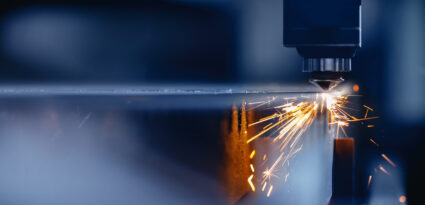
Laser engraving leaves a mark on a material’s surface through a super-focused laser beam. It’s when vaporization happens when the laser’s heat leaves a permanent mark, which turns the solid material’s surface into a gas and releases fumes. The fumes are then extracted through an extractor system, such as a filtration unit or exhaust blower.

Since laser engravers are designed to be super easy to use, they can easily and quickly engrave your desired designs on different materials. The engravings are precise and accurate, making this the perfect tool for numerous arts and crafts projects. It’s also perfect for personalizing items like mugs, glassware, wooden boxes, and much more.

To get started, you must find out what equipment is needed to run a laser engraver, how to make it work, and any additional safety measures you must take. These will help you achieve a successful project with your students.

What You Need to Run a Laser Engraver

Apart from a laser engraver, there are other things you will need to start the process seamlessly. And it’s essential that you already have all of this additional equipment on hand before you begin to use them in the classroom to prevent any delays.

Equipment and items required for laser engraving:

Material

The first thing you need to do is to choose a material for the engraving. Ensure these are ideal for your laser engraving machine to prevent complications. It must also be the best material for your future projects, i.e. safe for classroom use.

Choose from the following materials:

  • Wood
  • Plastics and acrylics
  • Metal
  • Leather
  • Rubber
  • Fabric
  • Cardboard

Apart from choosing the suitable material, you must pair it with the correct settings for optimal results. For instance, you don’t want to choose a high power for soft materials like leather as it might burn the material.

Computer

You need a computer, where you’ll work on your graphics to create the design you plan on laser engraving on your chosen material. It’s where you will also configure the laser to meet the specifications and engraving results you wish to achieve, such as its power, speed, frequency, and focus.

Computer specifications:

  • RAM: The RAM of random access memory will determine the computer’s efficiency. The higher the RAM, the better the results of your laser engraver. It’s best to have 16 MB of RAM for laser engraving machines.
  • Processor speed: The suggested processor is i5 for faster processing speed.
  • Video card: Another critical component is the video card for smooth operation while working on heavier graphics.
  • Hard drive: The hard drive is the permanent memory of your computer, which is also responsible for keeping your engravings safe and stored until you need them. Make sure to get one that has a large storage capacity.
  • Software (operating system): Whether you plan on using Windows or OS, choosing an operating system compatible with your laser engraving machine is best.

Graphics Software

When working with a laser engraver, you need graphics software to send the graphics to the laser engraving machine. You must choose the software you’re familiar with while also being compatible with the laser engraver.

Some popular software includes the following:

  • Adobe Illustrator
  • Affinity Designer
  • Inkscape
  • Lightburn

Make sure to familiarize yourself with these graphics software because each has different capabilities and features to help you design.

Exhaust Fan

The exhaust fan will remove the odors and smoke the machine gives off. It’s also an essential tool for safety since it reduces sparks and flames while creating a safe environment. Ensure you have enough exhaust fans to keep the fumes away from people near the machine.

The result of a good exhaust fan is better quality since it also reduces the smoke residue in your system. Taking the time to install an exhaust fan can make a difference in a fume-free experience. Plus, you can choose from an exhaust blower or a filtration unit.

The exhaust blower is installed in the machine, drawing out the fumes from the machine and then blowing it out through the ducting. On the other hand, a filtration unit is a standalone exhaust unit that draws out the fumes from the area and passes through the filter, trapping harmful chemicals.

Optional Accessories

You can use many accessories with your engraver to expand your machine’s capabilities. These will help you complete more projects as you think of new activities in your classroom.

Optional accessories to consider:

  • Cutting grid: You can either order or make one for classroom use. Apart from engraving, some machines are also capable of laser cutting. It’s best to have a cutting grid to help you make straight cuts with the laser.
  • Rotary attachment: This particular accessory is excellent for engraving cylinders like pens or mugs. It rotates the material while it’s being engraved for a uniform result.
  • Air assist compressor: An air assist compressor prevents flare-ups while reducing residue. It also helps in helping the laser focus and burn material away by blowing a steady stream of air. It’s one of the most popular optional accessories to improve laser engraving outcomes.

Importance of Having Complete Equipment for Laser Engraving

Laser engraving is about more than just using one material and getting the desired results immediately. It also involves preparing the different types of accessories and components that can ensure your machine is running correctly.

Now that you know what is needed to run a laser engraver, you can achieve the best results possible and prevent any potential snags, especially in the classroom. Of course, you’ll want to ensure your students are safe from harm while doing the project.

For instance, you’ll need an exhaust fan to ensure they don’t inhale too much toxic fumes. Also, choosing the suitable material for the project will ensure that the laser engraving will turn out as expected.

Overall, having complete equipment for laser engraving is an essential part of the process. So if you want to have a fun and exciting time with your students, ensure you have everything you need beforehand.

Prepare for an Exciting Laser Engraving Experience at School

Knowing what you need apart from the laser engraving machine is the key to a successful project. Getting the right accessories and equipment makes a difference in outcome and safety. AGC Education has a long list of laser engraving supplies ideal for your school projects and activities. Our Laser Lab machine is the perfect choice for any educational environment. Don’t hesitate to contact us today if you have any questions. We’re more than happy to help you out.

Sublimation Printing vs Inkjet: What’s the Difference?

Whether you are a teacher looking to add more engagement to your lessons with vibrant images, or an administrator considering printing options for marketing materials, chances are you’ve encountered the two main types of printing processes—sublimation vs. inkjet. But what is the difference between them?

Learning what makes the two printing methods different will allow you to make the right decision before purchasing. Furthermore, you’ll know what’s the perfect option for your future class activities, projects, and more.

Exceptional Printing Methods to Choose From

Two of the most popular printing methods today are sublimation and inkjet printing. But the printers for both are different. For instance, in sublimation printing, you must use a sublimation printer and an inkjet printer for inkjet printing.

Each of these techniques has its own advantages and disadvantages. Learning these will help you choose the suitable printing method for your needs. Choosing the right one is essential since you’ll use it in the classroom for your students to learn more engaging and stimulatingly.

Sublimation Printer
Sublimation Printer

Sublimation Printing 

Sublimation printing is a transfer process that produces vibrant, full-color images on a sublimation paper. After that, a heat press transfers the image from the sublimation paper to the substrate of your choice. So the main component is temperature.

Due to its popularity, tons of sublimation printers are on the market today, which is why it’s an ideal option for a classroom setting. It’s perfect for printing on fabric and tons of other items. Moreover, it’s an easy process to teach your students during art projects.

What are the Advantages of Using a Sublimation Printer? 

Many people prefer the former due to its many benefits when it comes to dye sublimation vs. inkjet. Plus, it’s a fast process that lets you see the results immediately.

Other benefits are as follows:

  • Print on hard surfaces: Sublimation printing enables you to print on more rigid surfaces and other non-fabric materials.
  • Hundreds of materials to print on: With so many items you can print on with sublimation printing, it will be easier to achieve the desired product.
  • See outcomes on the same day: Sublimation printing has a fast process with a short learning curve. Because of that, you can get your desired products on the same day.
  • Multiple ranges of hues available: The ability to print high-resolution, exceptionally clear images is because of the hundreds of shades available.
  • Won’t scratch or lose color after being transferred to the medium: Once you transfer an image through sublimation printing, it won’t scratch or lose any color over time.

Inkjet Printing 

Between a sublimation printer vs. an inkjet printer, the latter is much easier to use. But it’s only because inkjet printers are more popular compared to sublimation. It’s also a digital-based printing process where the image must be in a digital format before printing.

Furthermore, inkjet printing involves using tiny ink particles from a nozzle during the printing process. Afterward, the ink must dry for some time.

What are the Advantages of Using an Inkjet Printer?

Inkjet printing has been around for a long time. It has its own advantages, which are also an excellent option for your classroom. 

  • Quality images: Inkjet printers use vast amounts of ink, which results in notably better photos. However, using a cheap inkjet printer will produce a different outcome.
  • Efficient in preserving inks: Inkjets are known to conserve their inks much more satisfactorily, which means more savings.
  • Print on a wide range of papers: Inkjet printing is ideal for various papers. But it can’t print on fabric and other non-paper materials.
  • Cheaper in every print: With many generic ink cartridges and papers available, the running costs become more affordable.
  • Larger sizes for prints: If you want to print wall art, inkjet printers are the best option since they can produce prints on a large scale.

The Main Differences Between Inkjet vs. Sublimation

Since each technique has features that make them stand out, you now have a better idea of which printing process to choose. But it’s also excellent to know what makes them different and unique, which will further enlighten you as you decide on the best printing method.

Quality of the Print

The first thing you’ll consider when choosing a printer is the quality. And in this case, sublimation is much better than inkjet since it produces higher-quality prints. It’s all thanks to the heat press, which uses a high temperature to allow the colors to blend beautifully during the sublimation process.

Transfer Paper Sizes

For inkjet printing, you can use any size of paper. So it’s better for large or massive prints. On the other hand, sublimation printing has a lower press rate dimension.

The Kind of Ink Being Used

Inkjet printing only has four primary colors: cyan, black, magenta, and yellow. On the other hand, sublimation has three colors, which are red, blue, and yellow. But these three colors are enough to create hundreds or thousands of different shades.

Materials You Can Print On

Sublimation printing allows you to print on numerous materials or mediums. So it’s a fantastic option for textiles, mugs, and other merchandise. On the other hand, inkjet printing is only used for paper materials, such as cards, bond papers, strip papers, etc.

The Level of Efficiency

You want to ensure the printer is efficient and can produce results without problems. And with this in mind, sublimation has a higher efficiency level than inkjet printers. The main reason is that ink is only sometimes used for printing. On the other hand, inkjet printing is less efficient since it relies on ink.

Factors to Consider When Choosing Between Sublimation vs. Inkjet

Overall, it depends on the application you will do most of the time. For instance, inkjet printers are the best choice if you print primarily on paper. But if you want to use it for different projects, then sublimation is much better. Other factors to consider are the following:

  • Consider the price of the printers since sublimation is more expensive than inkjet.
  • Sublimation is more promising for fabric materials and other rigid products, while inkjet is ideal for paper materials only.
  • Consider the cost of supplies since sublimation is costlier since there are tools to consider, such as a heat press, cutting mechanisms, sublimation papers, sublimation inks, etc.
  • Inkjet may be more suitable for large projects since you can use any paper size.
  • Research the type of printer you will be using, such as their limitations regarding colors, resolution, and other capabilities or features.
  • Know what kind of projects you’ll be using for both.

Opt for the Printer Method that Works for Your Students & You

Printing can make your classroom’s atmosphere fun, especially with the hands-on experience it offers. And if you want a broad range of print materials for the different activities you have planned, then sublimation is an impressive process to consider.

At AGC Education, you can find our sublimation station. It’s an easy-to-use sublimation printer to add to your school equipment list. But if you have other questions about our other materials, contact us today so that we can find the right product for you.

Cool Laser Engraving Ideas for Your Classroom

Laser engraving has become an excellent option for teachers and educators to teach students how to become more creative. A laser engraver is a new tool that many schools are slowly trying to adapt in their classrooms for a better learning experience. Just like 3D printing, there are so many laser engraving ideas you can try out for your students to enjoy.

Let’s explore cool designs for laser engraving that will transform your classroom into a vibrant learning environment suitable for all ages. From engraved wood boards to customized stone tiles, we have plenty of options to bring inspiration and motivation to any space. Read on as we discuss some of our top picks for best laser engraving designs!

white laser engraver machine

What is a Laser Engraver?

Laser engravers are primarily used in manufacturing to improve traceability and product identification. However, schools are opting to use laser technology for many projects, such as wood laser engraving ideas.

And with the many uses and purposes a laser engraver can provide to educators and teachers, schools are starting to catch on and add it to their curriculum. The best part is it hones the creativity and imagination of students, primarily those in middle school.

But if it’s your first time using a laser engraver in your classroom, it can be challenging to introduce it. To give you an idea, you should come up with some cool laser engraving ideas for the students to get excited about.

Some Laser Engraving Ideas to Try in the Classroom

As we all know, students get bored easily when they’re in the classrooms, especially if there are no visual aids or activities. But one activity you can try out is creating laser engraving designs with a simple and easy-to-use laser engraver from ACG Education. Here are some ideas you can use:

Front view of printed on square puzzle frame

Create Gorgeous Puzzles

Creating puzzles is one of the most popular wood laser engraving ideas you and your students can tackle. Using a thin piece of plywood, the students can create their designs. After that, the laser engraver will engrave and cut these pieces out. Use your design as a template as the laser engraver cuts them out.

After that, you get a very well-made puzzle that you can enjoy. You can also ask them to create beautiful designs, which are ideal for puzzle pieces. And see which one is the best. It can become a simple contest in your classroom.

Cut Geometric Shapes During Your Math Lessons

Math is one of the most dreaded subjects that students don’t like. However, it’s crucial, especially for students who wish to become architects or engineers in the future. So if your lesson plan is focused on geometry, it’s better to laser engrave these shapes for your students to understand the topic.

And just like puzzles, you can ask your students to look for geometric designs for laser engraving that they can put together. Of course, they need to do the correct measurement to understand how it all connects to your math lesson about geometry.

Make Simple Cutting Boards

If you have cooking lessons, you can start by teaching your students how to create their cutting boards. With wood, they will have to create a design that makes their cutting board unique. They can also create these as a gift for themselves or their moms.

It’s worth noting to use tape to protect the areas you don’t want your students to engrave and then just dust the debris off accidentally. Make sure to choose lighter-colored wood for a well-defined result.

Learn About History By Cutting Out Shapes from the Past

In some countries, such as China, shadow puppet shows were popular theater forms that many people enjoyed. And if your current subject is shadow puppets, you and your students can laser engrave characters you can use for the show.

After that, you can work on the choreography and the story that will showcase what made it a hit in China. Remember, it’s accompanied by singing and dancing. So it’s best to prepare for it beforehand, and you can turn it into an event in your school that parents can attend.

Create Special Pieces of Jewelry

Your students who love to create something extraordinary that they can wear are another reason why you should consider laser engraving in your school. For instance, they can laser-cut different pieces of jewelry from acrylic or metal.

Therefore, they can make cute necklace pendants, earrings, and everything they want to try that is wearable. Of course, you will need to supervise them during these instances to prevent accidents or mishaps from happening.

Laser Cut Costumes During Plays

Instead of making a tree costume that can easily break, why don’t you try laser cutting each part and attaching it to one another for layers and added appeal? Your students can design their costumes for the show with a laser engraver. With this, you can get exceptional results without any trouble at all.

You can use it during events where your students must act as a particular character from your lesson, especially in English subjects. It allows your students to dress the part. Therefore, they’re inspired while they act out during the play.

brown letters on table

Simple Decorations in Your Classroom

You will want your students to feel the spirit during special occasions or events by adding some decor to your classrooms or the entire school. And with the help of a laser engraver, you can create simple but fantastic decorations that will make your school pop.

For instance, during the Christmas Holidays, engraving some snow or even Santa Claus that you can attach to your walls is best. Another occasion is Halloween, where you and your students can brainstorm what kind of designs are ideal for laser engraving that you can also put around your classroom for that Halloween spirit.

Bookmarks for Book Lovers

Students who love books will get the hang of creating bookmarks through laser engraving. You can use a thin piece of wood or a sturdy material. Your students can create a design that will tell more about themselves as book lovers. Some materials to use are as follows:

  • A thing plywood
  • Bamboo wood
  • Thick transparent plastic

You can also opt for bamboo wood for these bookmarks because they’re durable. Bookmarks are an everyday item that students use, so it’s best to add this to your list of projects to make using a laser engraver.

Opt for a Laser Engraver that Works with Your Curriculum with the Help of AGC Education

AGC Education offers some of the best school supplies that support educators and teachers to provide their students with the best education. One of these is laser engravers, which are a need in every school for an unforgettable and more technology-centered learning experience.

AGC Education provides laser engravers that work with your curriculum without any hassle. With the variety of materials it can work with, you and your students will surely enjoy it. So if you have any questions, don’t hesitate to contact us today. Or you can also email us at info@agceducation.com!

How 3D Printing is Being Used in Education

Are you searching for a creative way to keep your students engaged with your lessons? Do you want to give them a reason to learn without feeling forced? Then, consider using 3d printing in education. Even though 3D printing is primarily known as a device that hobbyists utilize, it’s now a great addition to schools.

You may wonder, “why is 3d printing important in education?”. The only answer to this is educators use it as the easiest way to grab their students’ attention. It also encourages active participation in the classroom. That’s why if you’re looking for the different uses of 3d printing in education, now’s the right time to find out!

How Can 3D Printing be Used for Educational Purposes?

3D printing in education has become very popular in numerous schools across the globe. It doesn’t simply print with ink on paper. Instead, it creates another object using substantive materials. Examples of these materials are:

  • Rubber
  • Metal
  • Plastic

Fortunately, 3D printers have become more affordable to accommodate the growing school demand. But why is 3d printing important in education? With technology becoming a primary focus in classrooms, it’s a fun way to hone your student’s imagination as they learn different subjects, such as engineering, chemistry, math, biology, and so much more creatively.

Benefits of Using 3D Printers in Classrooms

3D printing has revolutionized different industries. And now it’s transforming education too: schools, universities, and other educational institutions are beginning to explore how 3D printing can benefit learning in different subjects and curricula. To understand how it can contribute to students’ learning, here are the benefits of 3d printing in education.

Honing the Skills of Future Creators

Students are inherently creative. They find ways to create something from scratch. But adding 3D printing to your lessons can amplify this creativity. It will give them more courage to become inventors and create a unique object or design that they have made with the help of a 3D printer.

And if you provide them with the right resources, they can act on their hidden talents. They can make their ideas come to life, and it’s all thanks to 3D printing.

Keeps Excitement in the Classroom

The more interesting and engaging lessons are, the more the students are interested in learning. If a learner gets bored easily, a 3D printer is ideal for keeping their minds active and engaged.

Apart from that, students get to understand how the process goes – from the concept stage to the creation of the concept. They can know how the idea works as they work on the project with a 3D printer as the primary device.

A Better Hands-On Experience

Another reason students find school dull is that most subjects are taught through lecturing and reading. But with the help of a 3D printer, students get to experience how it is to create something from scratch. They experience hands-on activities, which will keep them excited and enamored.

They feel empowered as they see their designs come to life in front of their eyes. This fosters creativity and encourages them to become innovative when tackling an experimental subject. They will be able to make their visions come to life as they get to touch them with their own hands.

Promoting Problem-Solving Skills

Problem-solving is an obstacle that many students experience every day. But with the help of a 3D printer, they can learn how to make it work, troubleshoot it, and find ways to create an object they want to hold. It pushes them to solve problems and find ways.

With students finding a solution to their 3D printing problems, they can hone their problem-solving skills. Furthermore, it encourages them to persist and endure the issues they face while finishing or starting a project.

Uses of 3D Printers in Schools

As for the primary uses of 3d printing in education, it depends on the subject and curriculum on how teachers will introduce it to your classroom. But some of the most common uses are as follows:

Support History Students

History students who want a better understanding of an artifact they’re currently studying can benefit from using a 3D printer. They can quickly create a prototype of an artifact they want to examine. It will also allow them to freely explore their subject without seeing the real thing live, especially if it’s impossible.

Create Maps for Students Invested in Geography

Some students are interested in learning more about the planet’s geography or a particular place – and more than a map is needed to fuel their knowledge. It’s better if they have the exact dimensions they can see and feel for a better perspective. That’s why 3D printers exist to create demographic, topography, or population maps that give them a better understanding of what they’re studying.

Make Math & Science Easier

Math and science students can also benefit from the help of a 3D printer. There are some instances where these students will need the perfect object to hold, especially when it comes to their experiments or the problems they need to solve. It’s all about using this tool to support where these students are having trouble understanding.

Students Who Like to Design Can Print 3D Versions of their Artwork

As already mentioned, students who dabble with 3D printers get to hone their skills when it comes to creativity. They become inventors, especially if given the right tools and support. And one of these tools is a 3D printer. So if your student is showing signs of being a creative graphic designer, let them shine by allowing them to use the printer to create a real-live version of the art they’re trying to make.

Feeding Your Student’s Creativity with the Help of a 3D Printer

The best way to support your students is by giving them solutions they can use to their advantage. And one of these solutions is a simple 3D printer that can change the course of their paths as students for the better.

Furthermore, it makes it easier for you as an educator or teacher to show what they need to do to achieve their goals. They can test their ideas with a simple machine to enhance their learning.

3D Prints

Choose the Right 3D Printer for Your Classroom at AGC Education

We know how difficult it can be to find an affordable 3D printer that you can use in your classroom. And, of course, you need to choose one that’s simple and easy to use. Fortunately, AGC Education offers 3D printers that are ideal for school settings.

So if you have any questions about the 3D printers and other school supplies we offer, don’t hesitate to contact us right now.